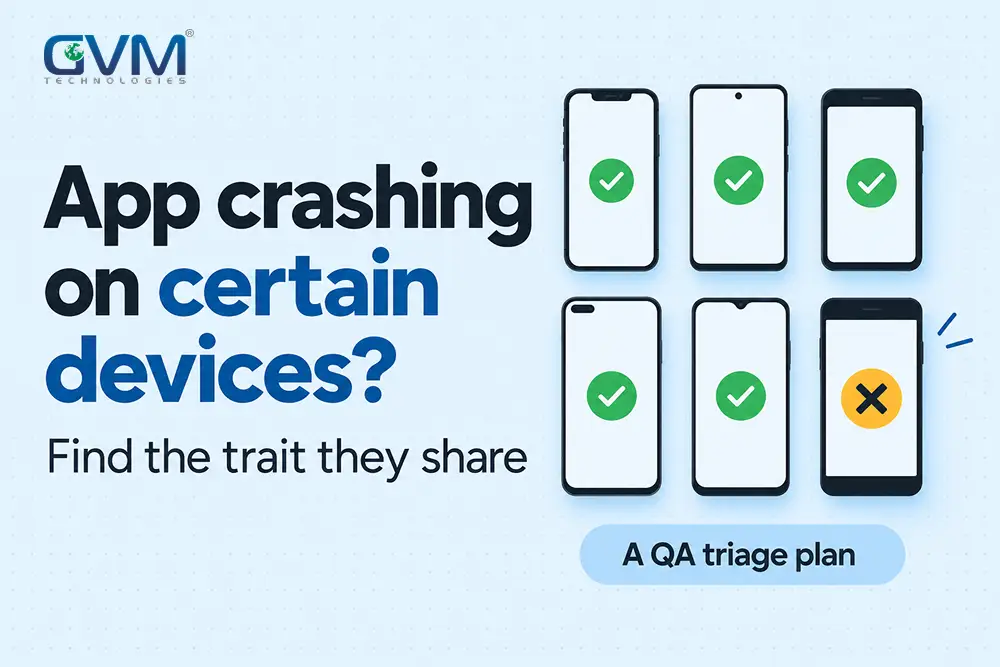
An app crashing on certain devices is not random. Every affected phone shares 1 trait your test phones lack, such as a maker’s Android layer, an OS version, low memory or a large screen.
This guide proves the crash is device-specific, finds the shared trait and ships a staged fix. It follows the triage a quality assurance and security testing team runs on mobile builds.
Quick answer: An app crashing on certain devices means those devices share a trait your test phones lack. Compare crash rates per model, split them by OS, maker, memory, screen and app data, reproduce the crash on a matching real device, then release the fix in stages. A missing crash report usually means the OS ended the app.
Key takeaways
- An app crashing on certain devices is device-specific only when 1 model crashes at about 3 times the app-wide rate. Otherwise, look at app version, data or accounts.
- Google Play’s bad-behavior lines are 1.09% of daily users crashing overall and 8% on a single device model.
- A missing crash report usually means the OS ended the app for memory, a blocked main thread or an ANR.
- Google Play’s 2026 Android 16 target rule can break an unchanged app on tablets and foldables.
- 6 to 8 real devices picked from your own analytics beat any generic top-10 phone list.
Confirm the crash is device-specific before you debug it
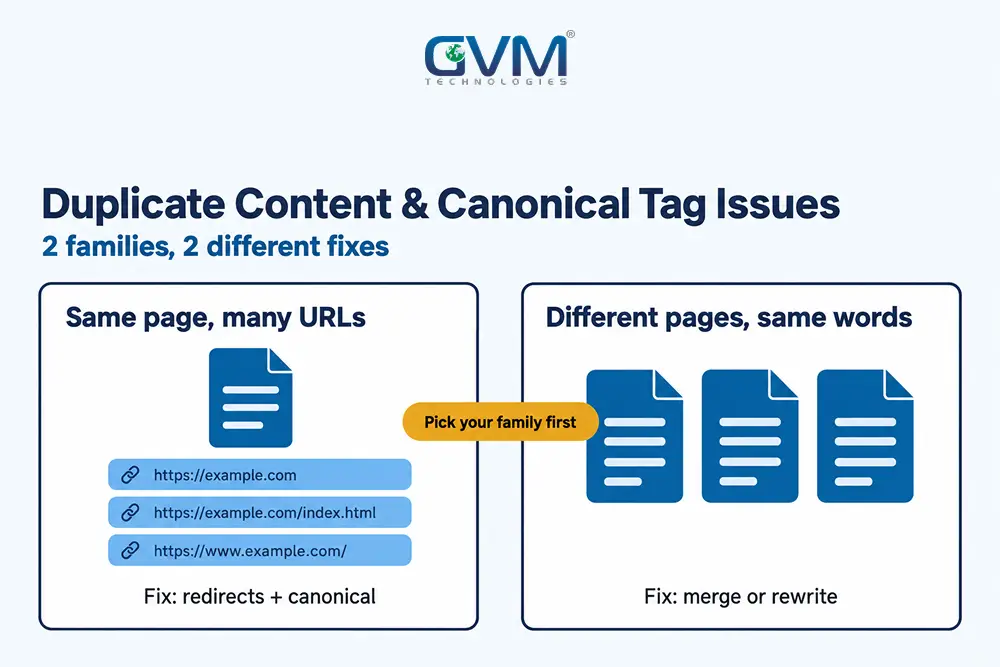
Check the numbers before touching code. A crash is device-specific when 1 model crashes at about 3 times the app-wide rate, a rule of thumb rather than a Google figure.
Similar rates across models mean device testing will waste weeks.
The 3x rate test
A popular phone tops every crash list because it has the most users. Divide crashed users by active users for each model instead.
| Model (illustrative numbers) | Daily users | Crashed users | Crash rate | Against a 1% app-wide rate |
|---|---|---|---|---|
| Phone A, popular | 20,000 | 150 | 0.75% | 0.75x, not device-specific |
| Phone B, rare | 500 | 60 | 12% | 12x, device-specific |
Google draws the same line. Its Android vitals thresholds call 1.09% of daily users crashing overall, or 8% on a single model, bad behavior. Past either line, discoverability drops and a store warning can appear.
Android vitals also reports a multiple crash rate, the share of users who crash 2 or more times. Watch it separately.
Lookalike splits that fake a device problem
Rule these out before blaming hardware:
- App version: the crash began with 1 release, on every phone.
- Country or language: a date format, locale or right-to-left string breaks 1 screen.
- Account data: a permission level, plan or old record feeds bad input to 1 screen.
- Backend response: a malformed API reply crashes every device that receives it.
- Shared logic: the same screen freezes on iOS and Android, so a render loop or blocking call sits in shared code.
A common mistake is chasing the phone in the crash report when the real difference is what the users have in common. Compare affected accounts first, then affected devices.
Outside data is a frequent culprit, and third-party API integrations carry that risk quietly.
The 5 axes and symptom map for an app crashing on certain devices
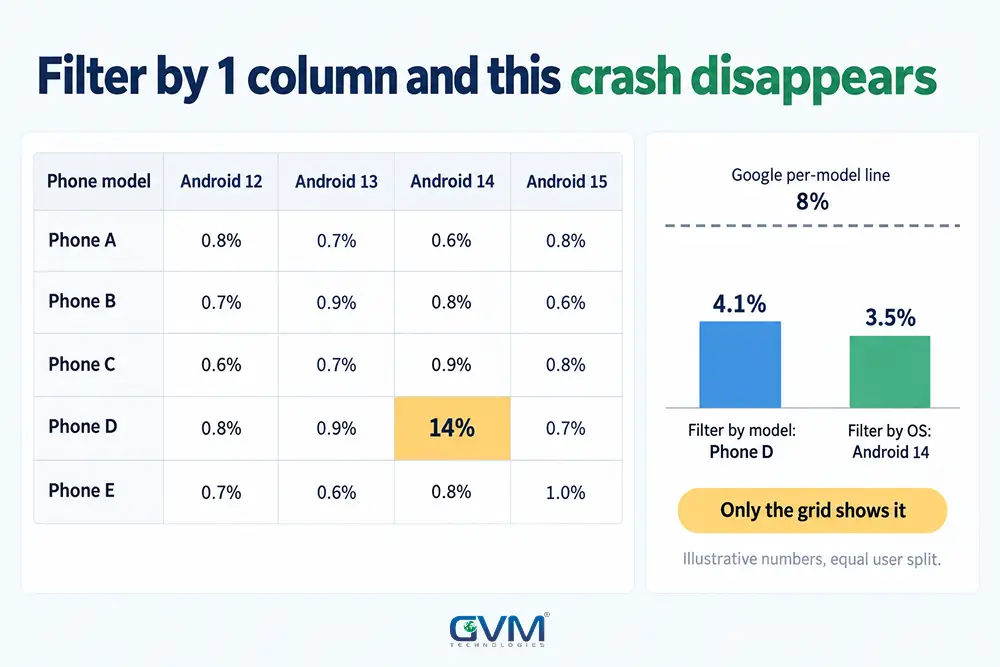
Every device-specific crash fits 1 of 5 axes: hardware, OS version, maker layer, screen and settings, or app state.
A crash on 1 Xiaomi model running Android 14 sits on 2 axes at once, so 1 filter alone often shows nothing.
The 5 axes at a glance
| Axis | What differs between devices | Example failure |
|---|---|---|
| Hardware | RAM, chipset, 32-bit or 64-bit, sensors | Out-of-memory on a 2 GB phone |
| OS version | Permission rules, deprecated APIs, defaults | A permission prompt that changed after an update |
| Maker layer | Battery managers, custom permission screens | A background service ended within minutes |
| Screen and settings | Size, foldables, font scale, language | A layout that crashes at the largest font |
| App state | Fresh install or upgrade, cache, free storage | A migration that fails only for upgraded users |
Every team doing mobile application development meets all 5 sooner or later, because each user brings a different phone.
Symptom-to-cause map
| Symptom | Likely cause | First check |
|---|---|---|
| Began after an OS or SDK update | Changed platform behavior, old dependency | Compare first crash date with release dates |
| Only tablets, foldables, iPads | Layout and orientation assumptions | Test resizable windows, both orientations |
| 1 phone brand only | Maker battery manager or system layer | Reproduce on that brand |
| Older phones, after minutes | Out-of-memory | Profile memory with large images and lists |
| Store build only | Code shrinking, missing config, signing key | Test the signed store build |
| Fresh installs or upgrades only | First-run cache or migration | Test a clean install and an upgrade |
| 1 country or language | Locale, date format, font size | Switch language, region, font scale |
| After returning from background | Process death, lost saved state | Enable “Don’t keep activities” |
| App closes, no crash report | The OS ended the app | Read OS exit reasons |
| Launch crash on newest devices | Native library built for an older page size | Check native code for 16 KB support |
Platform changes in 2026 that break apps nobody touched
Unchanged apps break when the platform under them changes. Check the dates of OS releases, SDK updates and Google Play policy changes against your first crash date before opening the code.
OS and SDK updates: a crash with no release behind it
In March 2021, a faulty Android System WebView update crashed apps that use it, including Gmail, until Google shipped a fix within hours, as Android Authority reported.
SDKs do the same. A Facebook SDK fault crashed iOS apps such as Spotify and TikTok on launch in May 2020 and again in July.
Warning: Rolling back your own release fixes nothing when the trigger was a dependency or an OS update. Check the first crash date against release logs and SDK changelogs first.
Since August 31, 2026, Google Play has required updates to target Android 16, unless the developer requested an extension to November 1, 2026. Per Google’s Android 16 behavior changes, targeting it means:
- The edge-to-edge opt-out is gone.
- Predictive back animations are on by default.
- Orientation, resizability and aspect-ratio locks are ignored on screens at least 600dp wide, with games exempt.
The last change stretches or breaks portrait-only layouts on tablets and foldables. Apps that skipped 2 years of SDK updates break first, one of the signs a product needs software modernization.
Maker layers, low memory and native code
3 device groups cause most of the remaining cases:
- Maker layers: Samsung, Xiaomi, OnePlus and others end background work more aggressively than stock Android. The community tracker dontkillmyapp.com documents it by brand.
- Low memory: a photo screen that runs on an 8 GB phone can exhaust a 2 GB phone, so the OS ends the app.
- Native code: some Android 15 and later devices use 16 KB memory pages. Per Google’s 16 KB page size guide, unaligned native code, including inside SDKs, can fail, and Play blocks updates without support from February 1, 2027.
GVM Technologies runs cross-platform testing across multiple devices, browsers and operating systems, so these failures are looked for before release.
On Kotlin and Swift builds the fault usually sits in 1 device group. In React Native or Flutter apps, it often sits in a plugin’s native code.
Find the evidence, including crashes no tool reports
Pull crash data from the store consoles first and make sure the traces are readable. When nothing appears, the OS probably ended the app, and the OS can tell you why.
Where crash data lives on Android and iOS
| Source | Filter or read by | Needs |
|---|---|---|
| Play Console, Android vitals | Device model, Android version | R8 mapping file, native debug symbols |
| Firebase Crashlytics | Custom keys, breadcrumb logs, user ID | Mapping file upload |
| Xcode Organizer, incl. TestFlight | App version, build | dSYM symbol files |
| A user’s iPhone: Settings, Privacy & Security, Analytics & Improvements, Analytics Data | Crash log to share with you | The user’s help |
Without the mapping or symbol file, traces show scrambled names. Automate both uploads in the release pipeline, which is routine CI/CD work in GVM’s DevOps and cloud hosting service.
When users report a crash, ask each of them for 5 facts:
- Phone model and OS version
- App version
- The screen they were on
- The time of the crash
- Whether it repeats on Wi-Fi and mobile data
What crash SDKs cannot see
Crash SDKs run inside the app, so they miss exits the OS forces from outside:
| Silent exit | Android | iOS | What the user sees |
|---|---|---|---|
| Memory kill | Low memory killer | Jetsam | App restarts from the start |
| Blocked main thread | ANR: no answer to input in 5 seconds | Watchdog kill, code 0x8badf00d | A freeze, then the app closes |
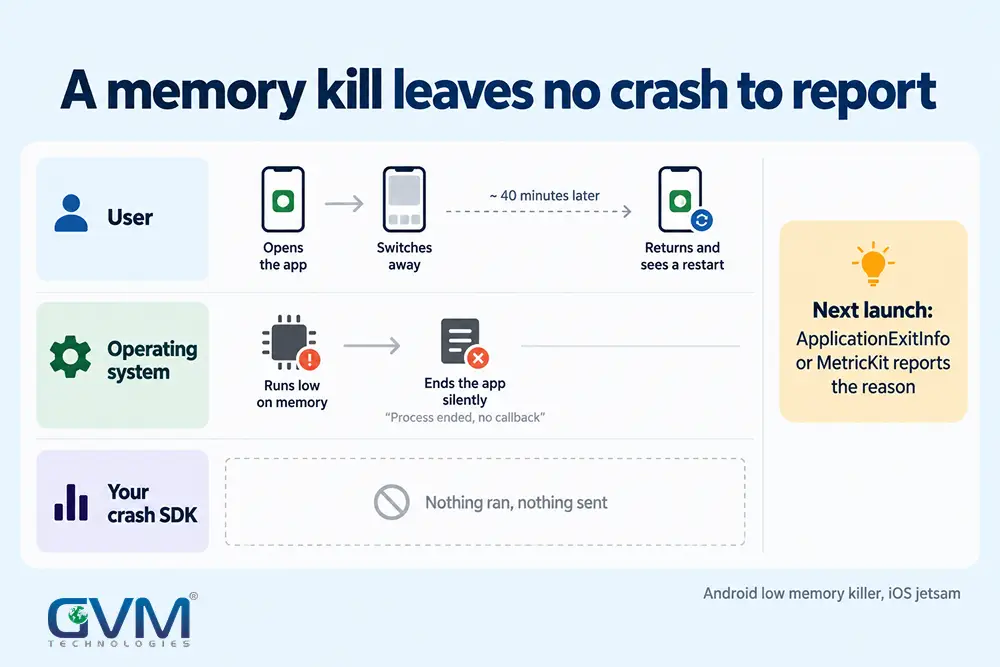
Android 11 and later can report why the last process ended through the ApplicationExitInfo API. iOS 14 and later delivers crash and hang diagnostics through MetricKit.
Add breadcrumbs too. Log screen name, free memory and free storage as Crashlytics custom keys, so a freeze on 1 screen points at the data entering it.
Reproduce the app crashing on certain devices, then ship the fix in stages
Reproduce the crash on a device matching the affected model and OS before changing code. A fix without a reproduction is a guess that ships to every user and costs a store review cycle.
Real devices, cloud farms and conditions to recreate
Emulators approximate the CPU but not real memory pressure, thermal throttling or maker changes, so a quiet emulator proves little.
3 routes work:
- Buy a used phone of the affected model when it carries a large share of your users.
- Rent a cloud device farm. Firebase Test Lab’s published pricing includes 5 free physical-device test runs a day, then $5 per hour per physical device, at the time of writing.
- Ask an affected user, with consent, to install a TestFlight or Play testing build.
Then recreate the conditions, not just the phone:
- Low memory: use an emulator image with reduced memory, or “Don’t keep activities” in Developer options.
- Network: delay or throttle the connection. A blocking call on the main thread is a classic watchdog trigger.
- Data: test a fresh install, an upgrade from the oldest version in use and a nearly full phone.
- Nothing reproduces: install older builds until the crash vanishes, then compare the last good build with the first bad one.
Crashes that appear only in the store build usually come from 4 places:
- Code shrinking (R8 or ProGuard) removing a class the app needs.
- A config file, such as the Firebase one, missing from the release build.
- Play App Signing re-signing with a key whose SHA-1 was never added to Google Sign-In or Firebase.
- A native library built without the debug symbols needed to read its crash.
Fix behind a flag, then widen the rollout
- Ship the fix behind a feature flag or as a hotfix.
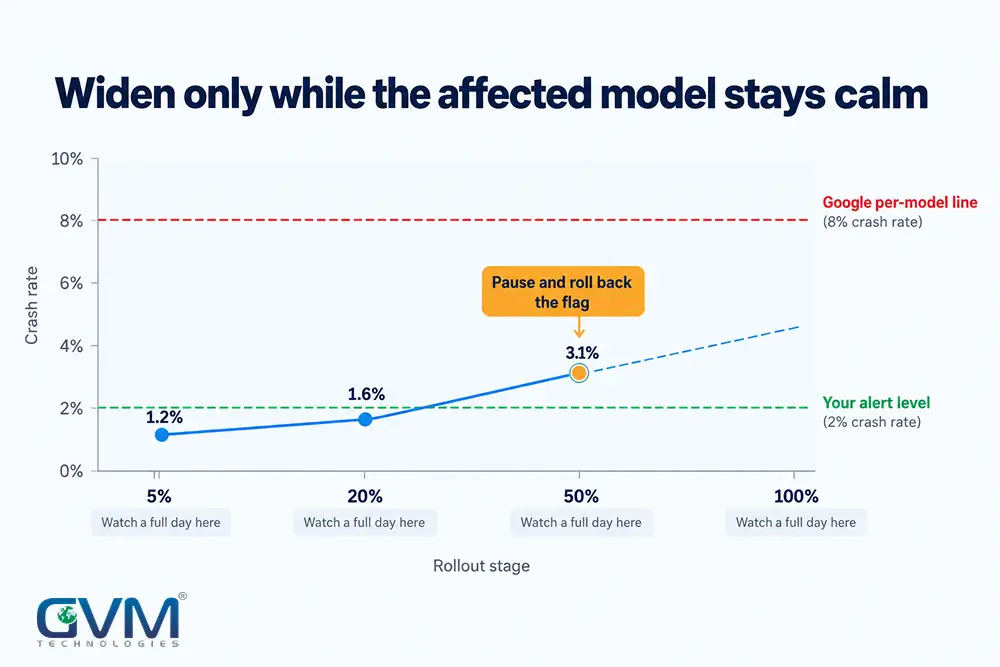
- Release to a small share first: Play staged rollout on Android, phased release on iOS.
- Watch the affected model’s crash rate for a full day before widening.
- If App Review reports a crash you cannot reproduce, ask for the log or a recording and test a fresh install with an empty cache on an iPad.
Teams with no test owner can start with QA testing for startups.
Prevent repeats with a device matrix, alerts and clear ownership
Build a matrix of 6 to 8 real devices from your own analytics, alert on crash rate per model and name 1 owner.
Popular models differ by country, so a blog’s top-10 phone list will not match your users.
| Slot | Pick | What it catches |
|---|---|---|
| 1 | Your top 2 models by active users | Crashes that hit the most people |
| 2 | 1 low-memory phone, 2 to 3 GB RAM | Memory kills |
| 3 | 1 phone from a different maker | Background limits, custom permissions |
| 4 | 1 tablet or foldable | Large-screen layouts |
| 5 | Oldest supported OS version | Deprecated behavior |
| 6 | Newest OS version or beta | The next update’s breaks |
| 7 | 1 iPad, if you ship on iOS | iPad-only failures |
Then set the rules of ownership:
- Alert per model at a level well under Google’s 8% line, such as 2%.
- Track user-perceived crash rate by users, not by sessions.
- Give 1 person authority to hold a release when any model climbs.
- Write a crash-fix service level into agency contracts. The SLA checklist for founders shows what to ask for.
If nobody has reproduced the crash after about 2 weeks, add outside QA. GVM places dedicated QA testers and developers in client teams, and its QA function is led by Zeel Shah, Head of Quality Assurance.
If the previous developer left no source, mapping files or store access, that is a rescue job. See what to do when a developer disappears and GVM’s project rescue solutions.
FAQs
1. Why is an app crashing on certain devices but not others?
Those devices differ from your test devices on 1 of 5 axes: hardware, OS version, maker layer, screen and settings, or app state. Compare crash rates by model to find which.
2. Can an emulator find crashes that happen only on certain devices?
Only some. Emulators miss real memory pressure and maker changes, so confirm the crash on a physical or cloud device.
3. What crash rate is too high?
Google Play calls 1.09% of daily users crashing overall, or 8% on a single model, bad behavior. For ANRs the lines are 0.47% and 8%. Aim well below them.
4. Why does my app crash right after opening on some phones?
Startup work fails on that phone: a missing config file, old local data, a native library mismatch or a blocked main thread. Test a clean install and an upgrade on it.
5. Can ChatGPT or another AI assistant debug my crash log?
It can explain a readable stack trace and suggest hypotheses, but it cannot see your devices. Remove personal data first, then confirm any suggestion by reproducing the crash.
Conclusion: prove it is the device, find the trait, ship in stages
An app crashing on certain devices has a shared trait behind it. Prove the crash is device-specific with rates, find the trait on a matching real device, then ship the fix in stages.
GVM Technologies has built and tested web and mobile products since 2013 under ISO-certified processes, with public case studies behind it.
Talk to GVM Technologies about an app crashing on certain devices
Every week a device-specific crash stays open, affected users churn and your store visibility suffers.
A GVM engagement can cover:
- Crash triage: rates by device, OS and app version from your Play Console, Crashlytics or Xcode data
- A device matrix built from your analytics
- Reproduction on matching devices and a staged-rollout fix
- Ongoing QA through a dedicated tester
Talk to GVM Technologies about your app crashing on certain devices