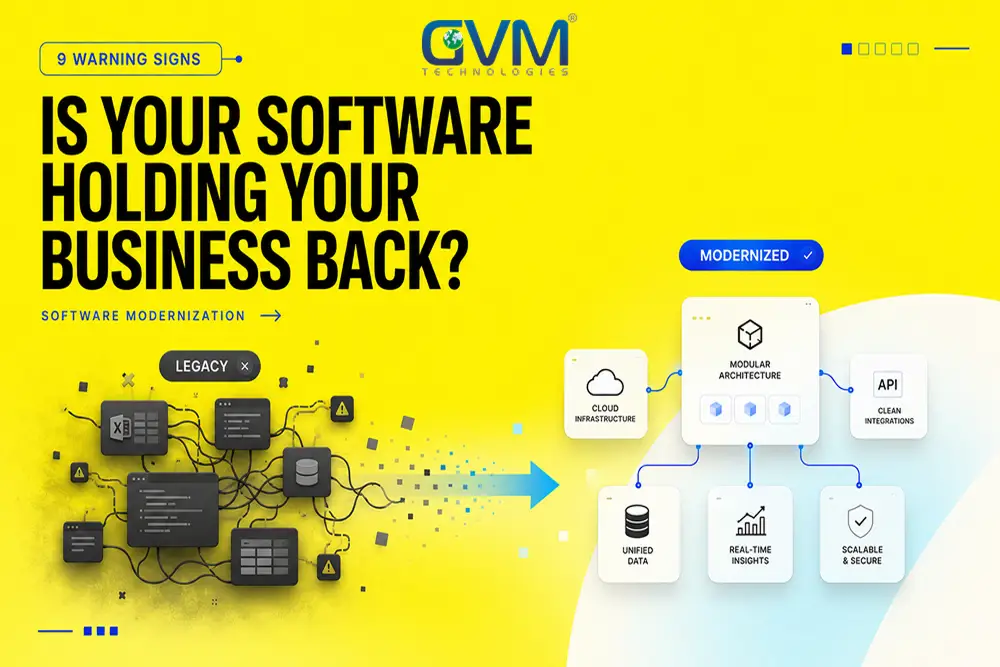
Your business needs software modernization when keeping the current system alive costs more than replacing it. That tipping point usually arrives 2 to 3 years before anyone approves a budget for it.
The signs show up long before anything crashes. Duplicate data entry. A vendor who stopped answering. New laptops downgraded to run an old application. Most teams recognize every one of these and still wait, because nothing has technically broken yet.
This guide covers the 9 warning signs, what each year of delay costs, and how to fix software development problems without a full rewrite.
Key Takeaways
- The strongest signal isn’t downtime. It’s the workarounds your team built to avoid the software, like shared spreadsheets, WhatsApp groups, and re-typing the same data in 3 places.
- Deloitte research found the average enterprise spends 57% of its IT budget just supporting existing operations. Once maintenance passes 60%, new capability is structurally unaffordable.
- Full rewrites are the riskiest option available. Standish Group data shows large software projects succeed less than 10% of the time, while small projects clear 90%.
- Windows 10 extended security updates cost $61 per device in year 1, $122 in year 2, and $244 in year 3. Delay pricing is designed to escalate.
- Refactoring in slices usually reaches positive ROI in 12 to 14 months. A ground-up rewrite of the same system typically takes 36 to 48 months.
- The cheapest modernization fixes your development practices first. Rebuilding on the same habits produces the same mess in 4 years.
What Software Modernization Actually Means
Software modernization is the process of updating an existing business system so it can integrate, scale, and stay secure without being rebuilt from zero. It covers 4 distinct paths, and picking the wrong one is where most budgets disappear.
Most business owners hear “modernization” and picture a full rebuild. That’s the most expensive and least likely path to succeed. It’s also rarely necessary.
| Approach | What it means | Best when | Typical risk |
|---|---|---|---|
| Refactor | Rewrite parts of the code, keep the architecture | Under 40% of the codebase is the problem | Low |
| Re-platform | Move to modern infrastructure, minimal code change | The code is fine, the hosting isn’t | Low to medium |
| Rebuild | Write the system again from scratch | The architecture itself blocks the business | High |
| Replace | Buy off-the-shelf software instead | Your process isn’t actually unique | Medium |
A system becomes “legacy” when 2 things are true at once. It needs expertise that’s getting harder to hire, and it can’t expose clean APIs, so it can’t feed reporting, automation, or AI integration.
Age alone doesn’t make software legacy. A well-maintained 12-year-old system with clean interfaces is healthier than a 3-year-old application nobody documented.
The 9 Signs Your Business Needs Software Modernization
The clearest signs aren’t technical failures. They’re the behaviors your team adopted to work around the software, and the questions your vendor quietly stopped answering. Here are the 9 worth acting on, ordered by how urgently they usually need attention.
| # | Warning sign | What it usually means | Urgency |
|---|---|---|---|
| 1 | Shadow spreadsheets and chat groups | The software no longer matches the work | High |
| 2 | Same data typed in 2 or more places | No integration layer exists | High |
| 3 | New hardware downgraded to run old software | Hard compatibility ceiling reached | Critical |
| 4 | Only 1 person understands the system | Single point of business failure | Critical |
| 5 | Vendor stopped shipping updates | Security clock is running | Critical |
| 6 | Every feature quote comes back “too expensive” | Architecture is fighting the roadmap | Medium |
| 7 | Maintenance eats over half the tech budget | No capacity left for growth | High |
| 8 | The system can’t expose an API | Locked out of automation and AI | High |
| 9 | Good developers keep leaving | Talent cost is compounding quietly | Medium |
1. Your team built shadow processes to avoid the software
When people run the business through a mix of spreadsheets, a basic CRM, and a group chat, the official system has already failed. Nobody filed a ticket about it. They just routed around it.
This is the earliest reliable signal, and it’s almost never reported upward. Staff assume the workaround is their own resourcefulness rather than a system defect.
Ask 3 questions in any department meeting:
- Which spreadsheet do you actually trust for this number?
- Where does the real approval happen?
- What do you do when the system won’t let you do the thing the customer asked for?
If the honest answers live outside the software, that software is no longer running your operation.
2. The same data gets entered in 2 or more places
Duplicate data entry means your systems don’t talk to each other, and a human is acting as the integration layer. That human makes mistakes, takes holidays, and eventually leaves.
The cost hides in plain sight. A team of 6 spending 40 minutes a day on re-entry burns roughly 1,000 hours a year, and every one of those hours introduces a chance for the 2 records to disagree.
The customer-facing version is worse. When 2 systems hold different versions of an order, support has to guess which one is right.
3. New hardware has to be downgraded to run your software
This one is unambiguous. If you’re installing an older operating system on a new machine so an application will launch, you’ve hit a hard compatibility ceiling.
The same signal appears in other forms:
- Buying replacement parts on eBay because the manufacturer stopped making them
- Keeping 1 specific browser installed because a portal only works there
- A machine nobody is allowed to update, ever
There’s no gradual version of this problem. The day the workaround stops working, the process stops with it.
4. Only 1 person understands how the system works
If 1 developer, 1 consultant, or 1 long-tenured employee is the only person who can safely change the system, your operation depends on that person staying reachable.
This is a business continuity issue, not an IT preference. Systems built organically over 15 years usually have undocumented behavior that only lives in someone’s memory.
The uncomfortable version of the question: what happens if that person retires in 6 months?
Across the modernization assessments GVM Technologies runs, this is the single most common reason a project turns urgent. The knowledge holder resigns, and a “someday” project becomes a 3-week emergency.
5. Your vendor stopped shipping updates
End of support means no security patches. New vulnerabilities found after that date stay open permanently, and no amount of internal caution closes them.
Microsoft ended Windows 10 support on October 14, 2025. Businesses that stayed moved onto paid extended updates, which is a deliberately temporary bridge rather than a solution.
The harder version of this problem is a vendor who went out of business or got acquired and quietly killed the product. There’s no support line to call and no upgrade path to buy.
6. Every new feature request comes back “too expensive”
When routine requests get quoted at 6 to 10 times what they should cost, the architecture is the reason. The estimate is honest. The system just makes simple changes hard.
The pattern to watch for is a widening gap between what the business asks for and what engineering says is feasible. Requests stop being made after enough rejections, which makes the problem look like it went away.
3 symptoms usually appear together:
- Small changes require touching unrelated parts of the codebase
- Nobody can predict what a change will break until it’s live
- Testing takes longer than building
If your team can’t ship a small change without a week of manual verification, the missing piece is often dedicated QA testing rather than more developers.
7. Maintenance consumes more than half your technology budget
Deloitte research found the average enterprise spends 57% of its IT budget supporting existing operations rather than building anything new. Analysis of federal IT spending has put operations and maintenance closer to 79%.
Capgemini reported that North American and European banks spend up to 75% of IT budgets maintaining legacy systems. Industry analysis puts the typical range at 60% to 80% across sectors, and one estimate puts global spend on keeping legacy systems running at $1.14 trillion annually.
Here’s the practical threshold. Once maintenance passes 60% of your technology budget, growth projects aren’t competing for funding. They’re structurally unaffordable.
Reviewing development cost breakdowns against your current maintenance spend is usually the fastest way to see whether that line has been crossed.
8. The system can’t expose an API
If your software has no way to send or receive data programmatically, it’s cut off from every tool built in the last decade. That includes reporting dashboards, automation platforms, and anything AI-driven.
Screen scraping and CSV exports are the tell. Those are symptoms of a missing API, not substitutes for one.
A system with no API blocks 4 specific things your competitors are probably already doing:
- Live dashboards, because reporting depends on a manual export
- Automated handoffs between sales, operations, and finance
- Customer self-service portals that read real order status
- Any AI workflow, since models need programmatic access to current data
This matters more in 2026 than it did in 2020. Most operational gains now come from connecting systems rather than replacing them, and a system with no interface can’t participate.
Sometimes an API layer can be built in front of an old system without touching the core, which is often the cheapest useful modernization step available.
9. Skilled developers keep leaving
Developer turnover on a specific system is a measurable signal, not a soft one. Engineers leave when the tooling makes it impossible to do good work, and the ones with options leave first.
The replacement cost is rarely calculated. A departing developer takes 6 to 18 months of system knowledge with them, and the replacement needs months to reach the same level.
There’s a compounding effect worth naming. The engineers who stay are often the ones least bothered by the problems, which means the pressure to fix them keeps dropping.
Bringing in dedicated developers who’ve modernized similar systems is usually cheaper than absorbing another 2 resignations.
What Waiting Actually Costs
Delay isn’t free, and the costs escalate on a schedule you don’t control. Support pricing rises, security exposure widens, and the talent pool shrinks. The largest cost, opportunity, never appears on any invoice.
| Cost of waiting | Year 1 | Year 2 | Year 3 |
|---|---|---|---|
| Windows 10 ESU per device | $61 | $122 | $244 |
| Talent availability | Harder | Much harder | Specialist rates |
| Integration workarounds | 1 or 2 | Compounding | Structural |
| Security exposure | Patched | Unpatched | Unpatched, 2 years of CVEs |
1. The support and license cliff
Vendor pricing after end of support is designed to make staying uncomfortable. Microsoft’s extended security updates program doubles in price every year for 3 years, then stops being offered.
That structure isn’t unique to Microsoft. Most enterprise vendors price extended support to be more expensive than migrating, on purpose.
2. The security and compliance exposure
Unpatched systems accumulate known vulnerabilities. Every month after end of support adds to a public list of ways into your network that will never be fixed.
For regulated businesses this becomes a compliance problem before it becomes a breach. Auditors flag unsupported software directly, and cyber insurance carriers increasingly ask about it during renewal.
3. The opportunity cost nobody budgets for
This is the largest number and the one nobody calculates. It’s every customer request you declined, every integration you couldn’t build, and every competitor who shipped something you couldn’t match.
3 questions surface it quickly:
- What did we tell a customer we couldn’t do in the last 12 months?
- Which report does someone still build manually every month?
- What has a competitor launched that we can’t?
A short innovation consulting engagement will usually put a number on those answers faster than an internal audit, because the questions get asked without the internal politics attached.
Rewrite, Refactor, or Replace: Picking the Right Path
The path matters more than the decision to modernize. Refactoring delivers value in weeks and keeps the business running. A full rewrite stops feature delivery for months and fails far more often than teams expect.
Run these 5 questions before committing to anything:
- What percentage of the codebase is actually causing the problem?
- Can the system be split into pieces that ship independently?
- Does anyone still understand the current business rules?
- Is the process genuinely unique to your business, or just familiar?
- What happens to operations if the project runs 3 times longer than planned?
1. When refactoring is the right call
Refactoring wins when under 40% of the codebase needs fundamental change. You improve the parts causing pain while the rest keeps running.
The advantage is continuous delivery of value. Each improvement ships on its own, so a paused budget leaves you better off than you started rather than halfway through a rebuild.
Most systems flagged as “too old to save” fall into this category once someone actually reads the code.
2. When a full rewrite is justified
A rewrite makes sense when the architecture itself blocks what the business needs, not when the code is simply unpleasant to work with. Those are different problems with very different price tags.
Legitimate triggers are narrow:
- The platform or language has no viable upgrade path
- Data structure makes required features impossible, not just difficult
- Regulatory requirements can’t be met by the existing design
“The team doesn’t like the old code” is not on that list, though it’s the most common unstated reason rewrites get proposed.
3. When buying off-the-shelf beats building
If your process isn’t a competitive advantage, buying is usually cheaper over 5 years. Accounting, payroll, and standard CRM work rarely justify custom software.
Build when the software is the differentiator. A booking engine that handles pricing logic no vendor supports, or a workflow your margin depends on, earns a custom build. GVM Technologies scopes these as SaaS platform development rather than modernization, because the honest answer is often that the old system was never the right shape.
Why Modernization Projects Fail
Most modernization projects fail for organizational reasons, not technical ones. Standish Group data shows large software projects succeed less than 10% of the time while small projects clear roughly 90%. Scope size is the single strongest predictor of failure.
The pattern is consistent. A team gets approval for V2, V2 takes 3 times longer than planned, leadership turns over, and someone proposes V3.
1. The full-rewrite trap
Rewrites underestimate the amount of business logic buried in old code. Years of edge cases, exceptions, and quiet fixes live in there, and none of it is documented.
The Standish Group CHAOS research has tracked this for 3 decades. In its original survey, 31% of projects were cancelled before completion and over half ran 189% over the original cost estimate.
McKinsey and Oxford studied more than 5,400 IT projects and found large ones run 45% over budget on average while delivering less value than promised.
When a rewrite has already stalled, catching it at month 3 costs a fraction of catching it at month 9. That’s the entire premise behind project rescue services, and the calls almost always come later than they should.
2. Losing the institutional knowledge
Teams that remove everyone who understood the old system before rebuilding it lose the requirements along with the code. The new system then reinvents the same edge cases by discovering them in production.
Keep at least 1 person who knows why the old system does the strange things it does. Those decisions were usually made for a reason nobody wrote down.
3. The sunset plan nobody wrote
The most expensive outcome is running both systems forever. The new system covers 80% of the work, attention moves elsewhere, and the remaining 20% keeps the old one alive indefinitely.
Now you maintain 2 systems, train staff on both, and reconcile data between them. Every modernization plan needs a written decommission date for the old system, agreed before development starts.
A workable sunset clause names 4 things:
- The date the old system stops accepting new records
- Who signs off that the replacement covers the required functions
- What happens to historical data, and where it lives afterward
- The budget line that disappears once the old system is switched off
That last point is what usually gets the decommission actually scheduled, because it turns the shutdown into a saving rather than a chore.
How to Modernize Without Stopping the Business
The lowest-risk approach replaces 1 piece at a time while the old system keeps running. Each piece ships independently, gets validated with real users, and only then does the old component get switched off. Phased programs typically reach positive ROI in 12 to 14 months.
This pattern has a name in software engineering. The new system grows around the old one and gradually takes over its functions, rather than replacing everything on a single launch date.
1. Start with the module causing the most pain
Pick the piece generating the most manual work or the most customer complaints, not the piece that’s technically oldest. Early visible wins are what keep a multi-year program funded.
A useful sequence for most businesses:
- Build an API layer in front of the existing system
- Move the highest-pain module to new code behind that layer
- Run both versions in parallel and compare outputs
- Cut over once the new version matches
- Decommission the old module on the agreed date
2. Run old and new side by side before cutting over
Never flip a switch on launch day. Run the replacement alongside the original, compare results, and confirm the new version handles the same edge cases.
This is where undocumented business rules surface, and it’s far cheaper to find them here than in production. The agile development process exists partly to make this parallel-run pattern practical.
3. Fix the practices, not just the code
If the current system became unmaintainable through rushed delivery and skipped reviews, rebuilding on the same habits produces the same result in 4 years.
Modernization needs to include the working practices that keep the new system healthy:
- Automated testing so changes can be verified without a week of manual checks
- Written documentation of business rules, not just code comments
- DevOps and cloud hosting with repeatable deployments
- Code review that more than 1 person participates in
Teams that skip this step tend to be the ones proposing V3 4 years later.
Software Modernization Cost and Timeline
Modernization cost scales with system complexity and integration count, not with age. Phased refactoring typically runs 3 to 9 months per major module. A ground-up rebuild of the same system usually takes 18 to 48 months to reach equivalent functionality.
| Approach | Typical timeline | Business disruption | Time to first value |
|---|---|---|---|
| API layer over existing system | 4 to 10 weeks | Minimal | Weeks |
| Re-platform to cloud | 2 to 5 months | Low | 2 to 3 months |
| Phased refactor per module | 3 to 9 months each | Low | Per module |
| Full rebuild | 18 to 48 months | High | At launch only |
1. What actually drives the price
4 factors move a modernization quote more than anything else:
- How many external systems the software connects to
- How much of the business logic is documented
- Whether the data can be migrated cleanly or needs restructuring
- Compliance requirements that add review cycles
Integration count is usually the biggest surprise. Each connected system adds testing, coordination, and a dependency you don’t control.
2. Where to start if you’re not sure
A scoped assessment costs a fraction of a project and answers the only question that matters: which of the 4 paths applies to your system. Looking through client case studies of similar builds is a reasonable second step.
If validating a replacement direction first makes more sense, MVP development on the highest-value module tests the approach before the full budget is committed.
Get an honest read on your system
Book a Software Modernization Assessment with GVM Technologies and get a written recommendation on whether your system needs refactoring, re-platforming, or replacement, with the reasoning behind it.
FAQs
1. How do I know if my software is legacy or just old?
Software is legacy when it needs expertise that’s getting hard to hire and can’t exchange data through an API. Age on its own doesn’t qualify. A documented 12-year-old system with clean interfaces is in better shape than an undocumented 3-year-old one.
2. Is it cheaper to modernize or rebuild from scratch?
Modernizing in phases is cheaper in most cases. Rebuilds commonly run 2 to 4 times over their original estimate, and large software projects succeed less than 10% of the time. Refactoring beats rebuilding when under 40% of the codebase needs fundamental change.
3. How long does software modernization take?
An API layer over an existing system takes 4 to 10 weeks. A phased refactor runs 3 to 9 months per module. A full rebuild of a mid-size business system takes 18 to 48 months to match what the old one already does.
4. Can we modernize without disrupting daily operations?
Yes, by replacing 1 module at a time while the old system keeps running. Each new piece runs in parallel with the original until outputs match, then the old component is switched off. This avoids a single high-risk launch date.
5. What happens if we just keep the old system running?
Costs escalate on a fixed schedule. Extended support pricing doubles each year, unpatched vulnerabilities accumulate permanently, and specialist maintenance rates climb as the talent pool shrinks. Opportunity cost is usually larger than all 3 combined.
6. Who should own a modernization project internally?
Someone with authority over both the budget and the process being changed. Projects owned purely by IT stall when a business process needs to change, and projects owned purely by operations underestimate the technical sequencing. The engineering team doing the work should report to a single accountable owner.
7. Should we modernize before adding AI features?
Usually yes. AI tools need programmatic access to clean data. A system that can’t expose an API can’t feed an AI workflow, which makes the API layer the practical first step rather than an optional one.
The Bottom Line
The signs of a system that needs modernizing show up years before the failure that finally forces action. Shadow spreadsheets, duplicate data entry, a downgraded laptop, and 1 person who can’t be replaced are all cheaper to act on now than after something breaks.
The decision that matters isn’t whether to modernize. It’s which of the 4 paths applies:
- Refactor when under 40% of the code is the problem
- Re-platform when the code is fine and the infrastructure isn’t
- Rebuild only when the architecture itself blocks the business
- Replace when the process isn’t actually your competitive advantage
Pick the smallest version of the project that solves the most painful problem, ship it, and prove the approach before committing the full budget. Large scope is the strongest predictor of failure in software, and it’s the one variable you control completely.
GVM Technologies has built and rescued custom software since 2012 from offices in Miami and Surat, working under ISO 27001:2022, 20000-1:2018, and 9001:2015 certified processes. Discovery, development, QA, and deployment run under 1 accountable team, which is what makes a phased modernization practical rather than theoretical.
If a build has already stalled or a previous vendor’s estimate came apart, that’s fixable. Reviewing past builds across similar systems is a reasonable place to start before committing to any path.