Business emails going to spam are real messages that a receiving server accepts and then files as junk, usually because it has no reason yet to trust the sender. Your quote, invoice, or reset link goes out, and the client never sees it.
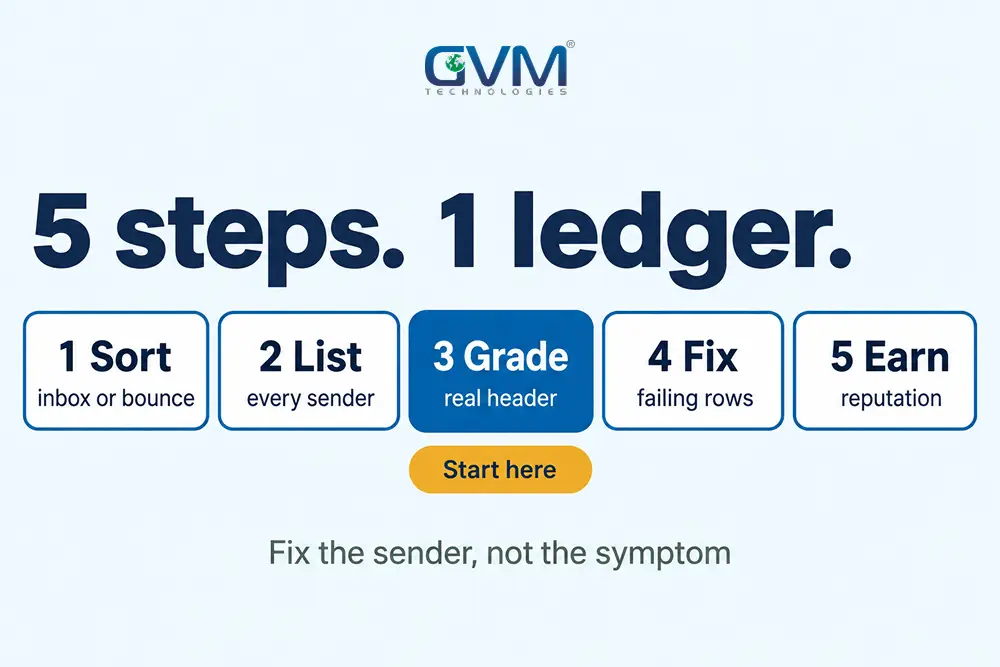
This guide is a 5-step audit for emails going to spam: sort the case, list every sender, grade each one from a real header, fix the failures, then earn trust. Start with the sender owners forget most, the contact form on your website.
What SPF, DKIM, and DMARC prove, and what they cannot
SPF proves a server is on your approved list, and DKIM proves your domain signed the message unaltered. DMARC checks that one of them matches the address your reader sees. None of the 3 proves that anyone actually wants your mail.
- SPF is the guest list: a TXT record on your domain naming the servers allowed to send for it.
- DKIM is the wax seal: a signature added at sending and checked against a public key in your DNS.
- DMARC is the doorman’s instruction: a policy to monitor, quarantine, or reject mail that fails to align, plus reports.
SPF, DKIM, and DMARC work as a set, and DMARC alignment ties the first 2 to the address your reader sees. Google’s sender rules scale with volume:
- Under 5,000 messages a day to Gmail: SPF or DKIM is required, and all 3 are recommended.
- 5,000 or more: SPF, DKIM, and DMARC with alignment, one-click unsubscribe on marketing mail, and a spam rate under 0.3%.
Scammers pass all 3 checks too, so a clean setup cannot promise the inbox.
Step 1: Sort your emails going to spam by what actually happened
Gmail’s Promotions tab is part of the inbox, so mail there arrived. A bounce is a refusal, and its code names the reason. Only a message in Spam or Junk with no bounce points to a trust problem, so sort your emails going to spam before you touch DNS.
- Inbox or Promotions: delivered. That is sorting, not blocking.
- Spam or Junk: accepted, then distrusted. This audit’s main case.
- Bounce: refused. Google uses codes such as 5.7.26 for mail that fails its sender rules, so read the code first.
- Nothing at all: a company filter may hold mail in quarantine, or your host may be down, which this website-down troubleshooting checklist covers.
Note the provider too. Spam at Gmail only points to how that one provider sees you, while spam everywhere points to authentication.
Step 2: List every sender in a ledger
A sender ledger lists each system that puts your address in the From line, what it sends, and whether it is authenticated. Most trouble with emails going to spam hides in 1 forgotten row, such as a website form or a billing tool, rather than in your main mailbox.
An illustrative ledger for a 10-person service business:
| Sender | What it sends | In your SPF record? | Signs as your domain? |
|---|---|---|---|
| Google Workspace mailboxes | Staff email | Yes | Only after DKIM is switched on |
| Website contact form | Lead alerts | Often no | Usually no |
| Invoicing tool | Invoices | Sometimes | Often signs as the vendor |
| Newsletter platform | Campaigns | Through an include | Yes, once you verify the domain |
| AI follow-up assistant | Replies, reminders | Check | Check |
Where forgotten senders hide
Each plugin or API integration adds a sender, and third-party tools carry hidden costs. Look here:
- Settings screens of billing, CRM, helpdesk, and booking tools, which each offer a “send from your domain” option.
- WordPress plugins for forms and orders, which often send through the web host instead of your mailbox provider.
- Marketing platforms running email marketing and newsletters.
- AI tools such as assistants and follow-up automations that email as you.
- DMARC reports, which list every address sending as your domain once a p=none record exists.
GVM Technologies fixes WordPress forms that do not send email, and a form sending through the host is the first row we check.
Who controls your DNS
A domain bought through a web designer years ago may still sit in their account, and a DNS move can erase mail records. Confirm the registrar login and the DNS host before you edit anything.
Recovering a lapsed domain and moving hosts without breaking records both start with that ownership check.
Step 3: Grade each sender from a real header
Send a plain, real message from each sender behind your emails going to spam to a personal Gmail address, open it, and choose Show original. The summary reports SPF, DKIM, and DMARC. Google’s DKIM guide says mailing yourself proves nothing, so use a second address.
Read 3 domains and grade the row
Compare the From domain, the Return-Path (smtp.mailfrom), and the DKIM d= value. A healthy raw header shows spf=pass, dkim=pass, and dmarc=pass, followed by header.from=yourdomain.com. Run the same test before every launch, since the pre-launch security checklist covers the rest. Then grade each ledger row:
- Green: all 3 lines PASS, and the d= value is your From domain.
- Amber: all 3 PASS, but DMARC alignment is weak because d= or Return-Path belongs to the vendor.
- Red: any line says FAIL or NONE.
If the header passes but a checker site shows a red X, trust the header. Checkers often guess the wrong DKIM selector. For a second opinion, Google Postmaster Tools shows Gmail spam and authentication rates, and Google’s CheckMX tool tests your records.
Why a pass can still fail: DMARC alignment in a real report
DMARC passes only when SPF or DKIM passes for the same domain as your From address. That match is DMARC alignment. A billing tool that signs with its own domain passes DKIM and still fails DMARC for you.
Microsoft agrees. For 5,000 or more messages a day to Outlook.com, it requires SPF and DMARC alignment, with junk routing first and rejection later.
One small business’s DMARC report covered 99 messages and showed 97.98% compliance:
| Source | Messages | SPF | DKIM | DMARC result |
|---|---|---|---|---|
| Sender A, outside Google’s ranges | 28 | Fail | Pass, aligned | 28 pass |
| Sender B, outside Google’s ranges | 10 | Fail | Pass on 8, fail on 2 | 8 pass, 2 fail |
| All other sources | 61 | Not itemized | Not itemized | 61 pass |
- SPF failed for 38 of 99 messages, yet 28 of them passed because DKIM kept DMARC alignment intact.
- The 2 failures failed both checks. Those are the messages a p=reject policy would have refused.
- Sender B needs a name before enforcement. It may be a forgotten tool, forwarded mail that breaks SPF, or a hijacked account.
Warning: Moving a large list from a vendor’s shared signing domain to your own aligned domain can reset your reputation, because the history belonged to the vendor. Ramp up from your own domain with engaged recipients first.
Step 4: Fix the failing rows in this order
When authentication is behind your emails going to spam, fix SPF first because it is the easiest record to get wrong, then DKIM, then DMARC. Change 1 record at a time and retest with a fresh header, so you know which change worked. Tighten DMARC only after the reports are clean.
1. Merge SPF into 1 record
A domain gets exactly 1 SPF record. RFC 7208 treats 2 as an error and caps a check at 10 DNS lookups.
For Google Workspace alone, the record reads v=spf1 include:_spf.google.com ~all, and each new sender adds its own include: before the ~all. A plugin update can also reset a form’s mail settings, as this post on a broken WordPress update explains.
2. Switch on DKIM for your own domain
In Google Workspace, open Apps, Google Workspace, Gmail, then Authenticate email. Generate a 2048-bit key, add the TXT record, and click Start authentication. Google says DKIM can take up to 48 hours to start, then check authentication rates in Postmaster Tools.
Microsoft 365 has a catch: custom domains get no DKIM signing until you enable it.
3. Publish DMARC at p=none, then tighten
A safe first record is v=DMARC1; p=none; rua=mailto:dmarc@yourdomain.com. It blocks nothing and collects reports on every source sending as you. Google accepts it for bulk senders.
Move up the 3 policies only when DMARC alignment holds for every sender in your ledger:
- p=none: monitor only, and nothing is blocked.
- p=quarantine: ask receivers to treat failing mail as suspicious, usually spam.
- p=reject: ask receivers to refuse failing mail.
In May 2026 the IETF published RFC 9989, which replaces the original 2015 DMARC specification.
4. Give each vendor its own aligned domain
Ask each vendor for custom-domain authentication, so it signs as your domain and DMARC alignment holds. Put that requirement in the contract; the SLA checklist for founders shows where. Send campaigns from a subdomain such as news.yourdomain.com, which keeps a bad run off your main mail.
Email marketing campaigns, which GVM runs within its digital marketing services, should start from such a subdomain and ramp up in steps. Subdomains still count toward Google’s 5,000-message bulk threshold, per its sender FAQ.
Step 5: Fix emails going to spam that pass every check
When every row is green, the receiver decides on reputation: your domain’s history, complaint rates, engagement, and sending pattern. Clean records can still leave emails going to spam, because new domains and quiet senders have little history. Reputation grows only from wanted, steady mail.
| Signal | How to see it | What to do |
|---|---|---|
| New or quiet domain | Weeks old; Postmaster Tools shows no data | Send real mail at steady volume and raise it in steps |
| Cold recipients | Engaged-last-30-days people reach the inbox, others do not | Suppress non-openers, then return them slowly |
| Spam complaints | Spam rate in the Postmaster Tools dashboard | Stay under 0.1%, never reach 0.3% |
| Volume spike or import | Placement fell right after 1 send | Pause, segment, and resume gradually |
| Link or tracking domain | A tracking domain is new, or a linked page is flagged as unsafe | Use a branded domain and test once with tracking off |
| Shared sending pool | Your provider puts you on shared IPs | Pick a provider that polices its pool |
Postmaster Tools reports configuration, spam rates, authentication rates, and delivery errors for Gmail. Google’s guidelines say to keep spam rates below 0.1%. It may show no data at low volume, so an empty Postmaster Tools dashboard is not a clean bill of health.
The same message sent to 2 groups separates reputation from content. Send it to people who engaged in the last 30 days and to a slice of everyone else. If only the second group lands in spam, your list is the problem.
AI tools add risk because they send fast. An assistant can mail hundreds of near-identical messages in an hour from a domain that sent 20 a day.
GVM built the Thoughtly AI voice-agent platform and builds an AI agent for call and email communication. Any such agent belongs in your ledger with a send cap.
How long it takes for emails going to spam to recover
Expect hours to 2 days for a fix to SPF, DKIM, and DMARC records, and weeks before emails going to spam reach the inbox again. No mailbox provider publishes a timeline, so any exact promise is a guess. Authentication faults clear fastest, which is why they come first.
- Missing or broken record: up to 48 hours for DKIM, per Google. Retest with a fresh header and Postmaster Tools.
- New domain with no history: several weeks of steady, real mail, based on practitioner experience.
FAQs
1. Why are my emails going to spam when SPF, DKIM, and DMARC pass?
Passing SPF, DKIM, and DMARC proves identity. Receivers also score reputation, complaints, engagement, and content. Check Postmaster Tools, compare engaged and inactive recipients, and look for a recent volume jump.
2. Do I need DMARC if I only send a few emails a day?
Google and Microsoft require it at 5,000 or more messages a day. Below that it is still recommended. A p=none record with a report address costs nothing and shows who else sends as you.
3. Why are my emails going to spam only on Gmail?
Each provider keeps its own view of you. Verify your domain in Postmaster Tools, read its spam-rate and authentication dashboards, and compare engaged and inactive recipients.
4. Will a brand-new domain keep emails going to spam?
Not always, but it has no history, so receivers are cautious. Send real mail to people who expect it at steady volume, and ask clients to reply.
5. Can I fix emails going to spam without hiring someone?
Often yes. If a header shows a FAIL and you control DNS, the fix is a short job. Hand it off when no one knows who owns DNS, or when several tools send as you, and weigh an agency against a freelancer first.
6. What is DMARC alignment, in plain terms?
DMARC alignment means the domain that passed SPF or DKIM is the same domain your reader sees in the From line. A tool can pass SPF on its own domain and still fail DMARC for yours.
Conclusion: audit the senders, then earn the trust
Every day your emails going to spam hold an invoice, quote, or reset link, a client loses a little patience. One ledger and one header per sender show why emails going to spam, and a missing DKIM key needs a different fix than a reputation problem.
Work the steps in order, watch Postmaster Tools, and give reputation several weeks of steady, wanted mail before you judge it.
Receivers keep tightening. Gmail began ramping up enforcement in November 2025, per the same FAQ, so emails going to spam today can become bounces later.
How GVM Technologies helps
- WordPress development: forms and plugins that send mail through an authenticated path
- Digital marketing services: email marketing campaigns that grow from a subdomain
- AI agent for call and email communication: agents whose email sending is planned from day 1
- DevOps and cloud hosting: server monitoring and hosting setup behind your mail
Talk to GVM Technologies about your emails going to spam
If clients keep missing your quotes and replies, the cost is lost deals, not just a DNS tweak. Tell us which tools send as your domain and what the header says.
If a cheap DNS fix is enough, the call says so. Your registrar and mailbox settings stay with whoever holds them, and we work alongside them.
GVM Technologies has built and supported websites and software since 2013 under ISO-certified processes. See the portfolio.