A Google Business Profile suspended listing drops off Google Maps and local results, and its calls stop with it. Most owners then resend the same paperwork, which rarely changes the decision.
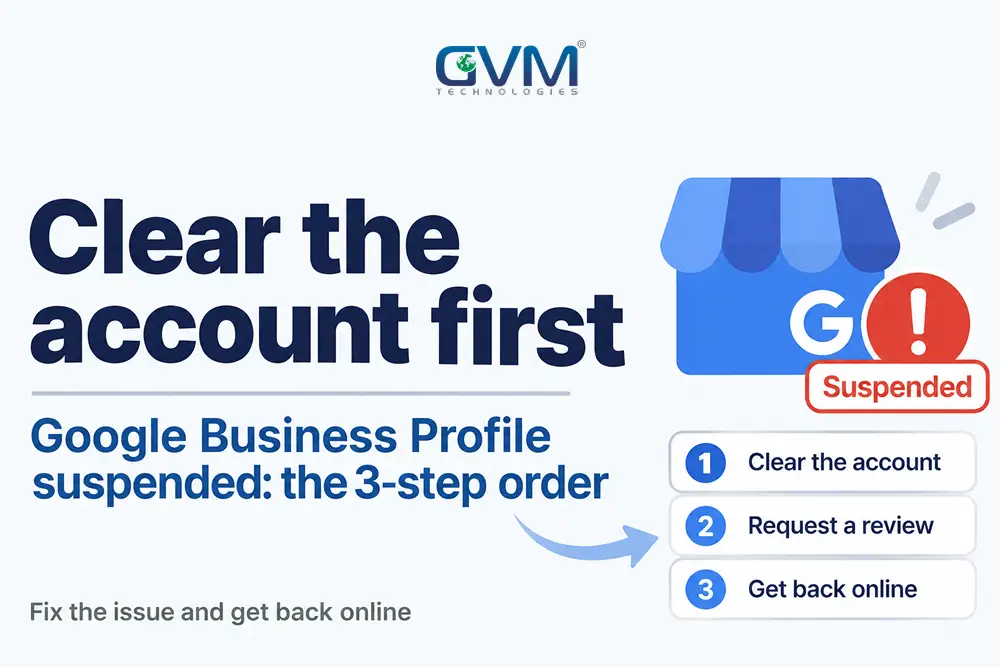
The steps below follow a Google Business Profile suspended case in the order Google’s own tools work: clear the account, read the decision log, fix the matching fault, then appeal once.
For the listing basics that prevent most of this, read our Google Business Profile optimization tips.
Quick answer: For a Google Business Profile suspended notice, clear any Google Account restriction first, because it will suspend every profile under that account. Then read the decision log in the appeals tool, fix the one fault it points to and submit a single appeal with evidence that matches the listing. Google says appeal decisions can take up to 5 business days.
Read the Google Business Profile suspended decision log before you change anything
For any Google Business Profile suspended notice, the appeals tool lists each suspension as a row with a date, a decision and a status. Each row names its own reason, so 2 rows on 1 profile can need 2 different fixes. Read the whole log before you edit the listing or write an appeal.
Google’s suspended profile help page sets out the same steps, so check it against your own screen.
What each column tells you
The Decision column gives Google’s reason for each Google Business Profile suspended entry. The Details column shows that appeal’s status, such as Approved, Not Approved or Eligible for appeal.
Reading a log with 2 suspensions
Imagine a Google Business Profile suspended in 2 decisions, shown as 2 rows. The older deceptive-content row shows Approved, and the newer row says the Google Account is restricted and Not Approved.
The approved row is history, and the open row is the blocker. Editing the listing is unlikely to touch a block that sits on the account.
| Log row says | What it means | What to do first |
|---|---|---|
| Deceptive content, Approved | That appeal succeeded | Confirm the profile is live and watch reviews return |
| Google Account restricted, Not Approved | The account block is still open | Appeal on the My accounts page before the profile |
| Eligible for appeal | The profile decision can still be appealed | Fix the matching fault, then file 1 appeal |
| Can’t be appealed | The tool will not take this decision | Contact Google support instead of resubmitting |
Many owners fix the profile for the Approved row, then resubmit against the open row with the same evidence. That spends a decision without touching the blocker.
Clear the Google Account restriction before the profile appeal
A restricted Google Account suspends every Business Profile it manages, and Google advises lifting that restriction before you appeal the profile. The account appeal runs on Google’s My accounts page, which is separate from the profile appeals tool. Clear the account first, then the profile.
Open the restriction page and submit the account appeal
- Sign in as the owner of the Google Account that manages the profile.
- Open My accounts restrictions and read the stated reason.
- Submit an appeal with a short, factual explanation of what the account is used for.
- Track the status on the same page, and wait for the decision before you touch the profile.
Look for a yellow card titled “Restricted access to services” with a “Review restrictions” button. That card is the account block, not the profile suspension.
Why account restrictions now lead to a Google Business Profile suspended listing
Trade coverage in early May 2026 (Search Engine Roundtable) reported a wave of suspensions linked to account restrictions. The reports were anecdotal, and Google gave no statement.
Treat that as a reason to check the account, not a confirmed cause. A profile is only as eligible as the account behind it, so skipped account checks mean profile appeals that cannot move.
Find the fault that matches your log: 4 doors
4 fault types cover the causes that come up most often when owners compare a Google Business Profile suspended listing with Google’s guidelines. Check each door against the decision reason, then fix only the one that matches. Changing everything at once hides which fix worked.
1. A name with extra words
Google’s guidelines ask for the real-world business name, without added keywords, cities or service words. The test: the name should match the sign, the website header and the registration.
2. An address customers do not visit
A home office or co-working desk shown as a public address often fails when nobody receives visitors there. If you serve customers at their locations, hide the address and set a service area instead.
Hours need the same honesty: publish the hours when someone is genuinely on site.
Illustration: a service business moves within its service area, keeps the old hidden address and leaves the registration unchanged. The mismatch, not the move, is what the reviewer sees.
3. Duplicate or orphaned listings
Google’s help says not to create a new Business Profile for the same business. An older listing, a second copy or a manager account nobody controls can keep the problem alive.
Check who holds owner access and whether an older listing for the same business still exists.
4. A burst of edits before the suspension
Changing the name, category, address and website in the same week can look like manipulation to a review system. This happens because each change restarts review, so the reviewer sees a moving target.
Freeze edits on the Google Business Profile suspended listing while you investigate, and write down what changed and when.
Build 1 evidence packet that matches the listing
An appeal succeeds when every document carries the same business name and address as the profile. Google’s examples include a business registration, a license, a tax certificate and a utility bill. Gather them before you open the form, since the upload window is short.
| Evidence | What it proves | Must match on |
|---|---|---|
| Business registration or license | The business exists under this name | Name and address |
| Utility bill or lease in the business name | The business operates at the address | Name and address |
| Tax certificate or insurance document | The business trades under this name | Name |
| Photos of permanent signage | A physical presence matches the listing | Name, and address if shown |
| Website contact page | Customers can reach the same business | Name, phone and address |
Name each file with the business name before you upload, so the reviewer can match it without guessing.
A useful pre-check is GVM’s technical SEO audit, which tests name, address and phone consistency across site and listings. If the site must change too, website development costs explains the drivers.
Appeal once, then request an additional review only after a denial
Google’s appeal help page says an appeal can be submitted once, with an additional review possible only after a denial. A second appeal for the same issue before a decision can stall the case, so the first submission has to be complete.
- Is the account restriction still open? Appeal it first and wait for the decision.
- Does the log point to a profile fault? Fix that fault only, then check the name, address and category against the evidence.
- Submit 1 complete appeal with the evidence packet and a plain explanation of the change.
- Approved? Confirm the profile is live and watch the reviews over the next few days.
- Denied? Use the additional review form with evidence that was not in the first appeal.
A clean first appeal reads plainly: 2 sentences naming the fault and the fix, then the evidence list. It does not argue at length that the business is legitimate, because the documents make that case.
If the additional review is also denied, the next step is a pre-appeal audit of the listing and the evidence, not a third submission. That is the point where an outside review is worth considering.
What the timeline looks like after you submit
Google says a Google Business Profile suspended appeal can take up to 5 business days. Many owners report longer waits when a case needs manual review, so plan for weeks, not days.
A reinstated case usually moves through 3 stages:
- Submitted: the tool shows the appeal as pending, and nothing else should change.
- Decided: an email arrives with the outcome, and the status updates in the tool.
- Recovered: the profile returns, but older reviews can lag behind it.
Many owners see reviews return in batches over several days, so check before assuming they are gone. After about a week, open a support case with the old review count.
While the case is open, keep your phone line and contact form working, since a suspended listing is a gap, not a closure. Avoid profile edits to speed things up, because each one restarts review.
Mistakes that turn 1 suspension into 3
Owners treat a suspension as a verdict on the business, so they try to prove it is real. The reviewer checks the listing against Google’s rules, which makes that only half the job.
These mistakes come up repeatedly:
- Creating a new listing for the same business. Google’s help says not to, and a fresh profile can be suspended during setup.
- Resending the same paperwork. The reviewer compares the listing with the evidence, so unchanged files produce the same result.
- Editing during review. Name, category or address changes restart the check and blur the file.
- Appealing the profile while the account card still says restricted. The profile appeal waits on the account decision.
- Hiding the address without setting a service area. A hidden address needs a service area, or the profile reads as incomplete.
Frequently asked questions
1. Will a Google Business Profile suspended listing get its reviews back?
Usually yes, but not necessarily at once. Many owners see them return in batches over several days, so give the profile about a week before opening a support case.
2. Should I create a new listing if the appeal is denied?
No, not while the old listing is open. Google’s help says not to create a new profile for the same business. A Google Business Profile reinstatement through the existing listing is the faster path.
3. Can I appeal from a manager account?
Sign in as the owner. The tool asks you to confirm the right account before it shows decisions, and a restricted owner account blocks profile appeals until the restriction clears.
4. Does a Google Business Profile suspended case cost money to fix?
Owners can complete the appeal steps alone. Paid reinstatement services exist, so compare their scope with questions to ask an SEO agency. GVM Technologies does not list reinstatement as a service.
5. What if the Google Business Profile suspended appeal tool shows nothing to select?
Google’s help says to contact support when the tool reports no restricted content to appeal. Check the account restriction page first, then ask for a review.
While the profile is down, track calls and form leads with basic analytics so you can see what the gap costs.
Conclusion: clear the account, read the log, then appeal once
A Google Business Profile suspended case is usually a sequence problem: the account, the log and the listing must agree before an appeal can succeed. Work through them in that order and keep 1 clean file.
Once the profile is back, rebuilding enquiries falls to your website and search presence. The team page lists the people behind that work, if you want to check before you talk.
Talk to GVM Technologies about the leads a suspended profile stopped
Every week a suspended listing stays down, calls that used to come from Google Maps go to competitors. A website and search plan keeps enquiries moving while the appeal runs.
4 services cover that work:
- Search engine optimization for local visibility, with on-page and technical fixes
- Website development for a site whose name, address and phone match the listing
- Digital marketing services across SEO, PPC, social, email and content
- Hire dedicated resources for a marketer who owns the recovery workload
GVM Technologies does not file Google Business Profile appeals as a listed service, so this conversation covers the lead and website side.
The TREM Group local SEO case study shows how GVM improved local lead quality for a real-estate marketing agency.